Version historyExtra
Versions recorded as you work, to view, name, restore or download.
Versions are recorded as you work. Open one to read it, then restore it in one undoable step.
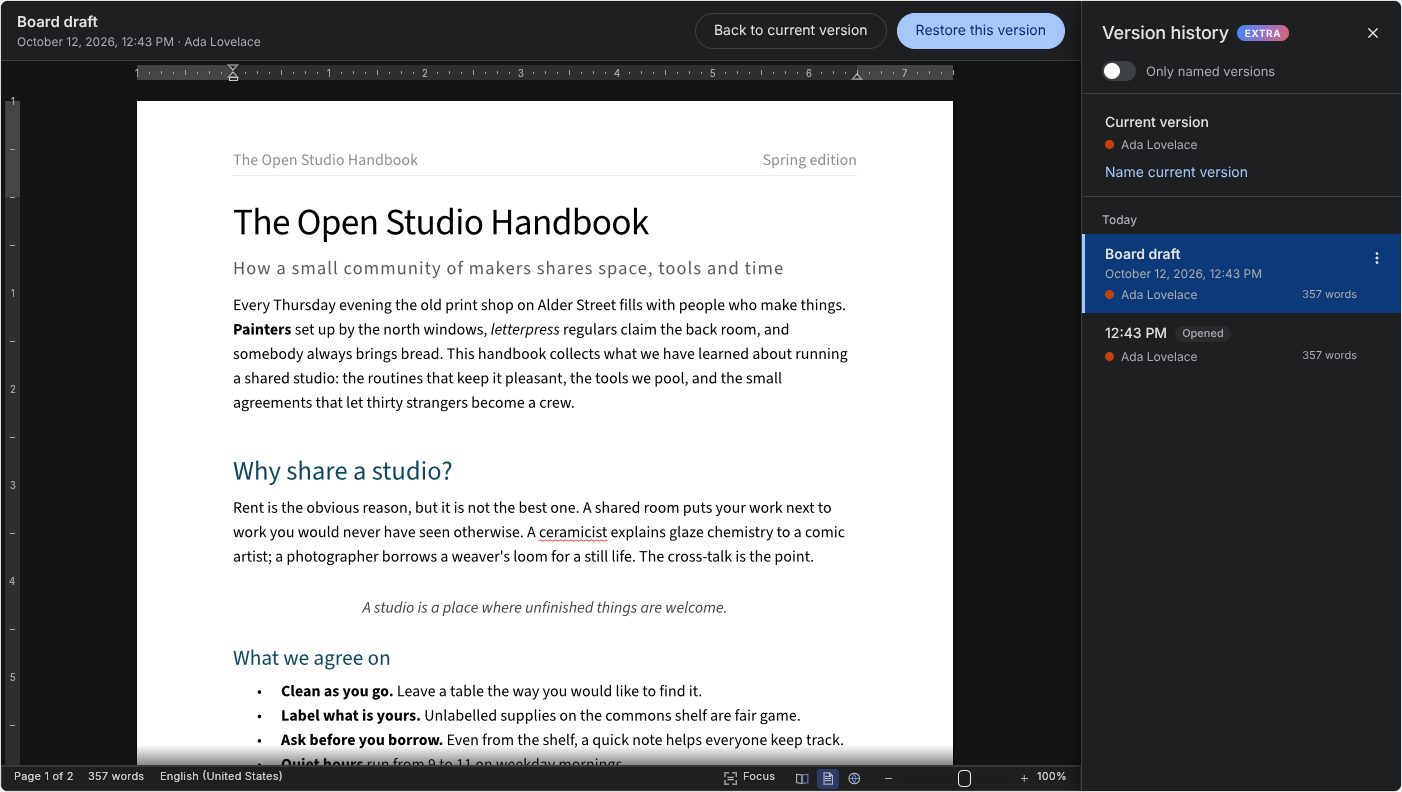
versionHistory records versions of the document as people work, like Google Docs: every few minutes while it changes (interval, default 5 minutes), on each save, and before a restore. Clicking the title (as in Word), File › Info › View Version History, or Ctrl+Alt+Shift+H opens a panel on the right:
- The list: versions grouped by day, each with its time, author and word count. The current version sits at the top, with "Name current version". A switch shows only named versions.
- Viewing: clicking a version shows it read only in place of the document, with Restore this version and Back to current version above it.
- Each version's ⋮ menu: Restore, Name or Rename, Download a copy (.docx), Delete. Named versions are never pruned; unnamed ones beyond
max(default 200) are. - Restoring: the current content is saved as a version first, and the restore itself is a single step that Ctrl+Z undoes. With co-editing, the restore reaches everyone.
Versions are kept in WordCraft's own JSON format, so they hold everything in the document exactly. By default they stay in this browser (IndexedDB), separately per documentId. To share them between people and devices, keep them on your server:
import { WordcraftEditor, httpVersionStore } from '@gamine/wordcraft-react';

<WordcraftEditor versionHistory={{ store: httpVersionStore(`/api/documents/${id}/versions`) }} />
httpVersionStore(url) expects GET url (the list), GET url/:id (the bytes), PUT url/:id (the bytes, with the metadata as JSON in an x-version-meta header), PATCH url/:id ({ name }) and DELETE url/:id. Or implement VersionStore (list, get, put, rename, remove) over anything you like.