Component props
Every prop of <WordcraftEditor />, from documents and saving to tabs, modes and Extras.
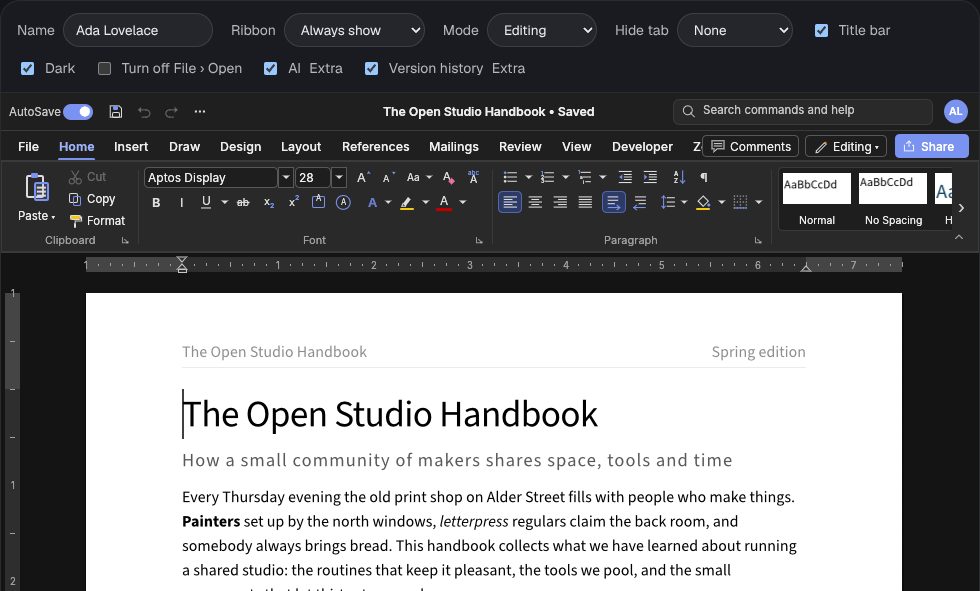
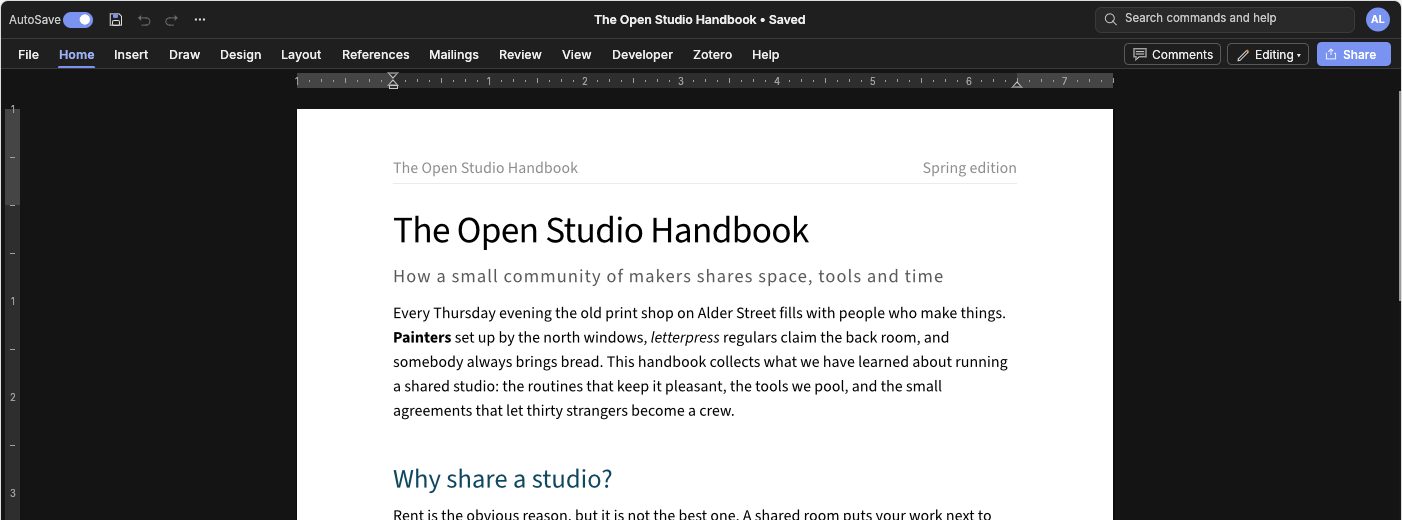

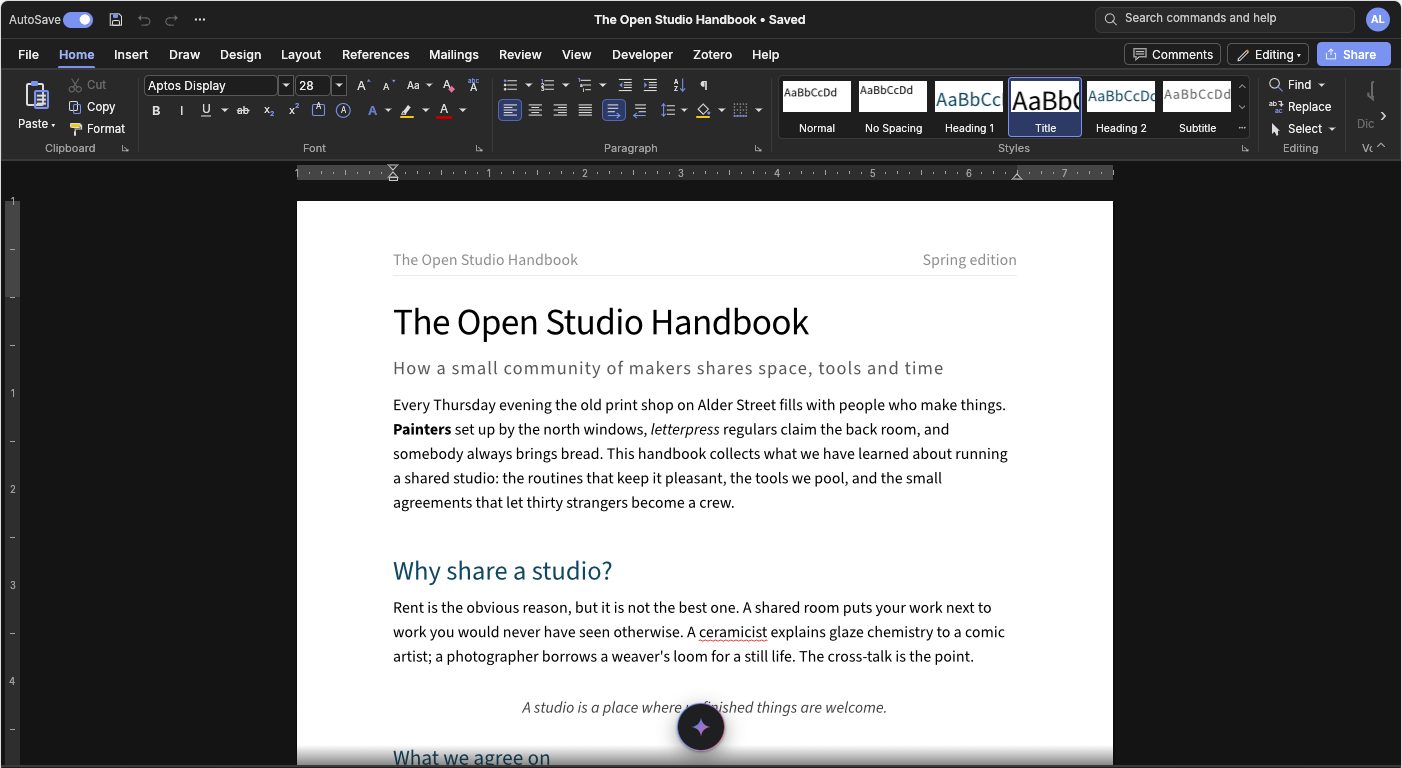
Props shape the editor: which tabs show, the title bar and ribbon, the mode, commands you turn off, and the Extras.
| Prop | Type | Notes |
|---|---|---|
document | { name, data } | Opens on mount. data can be an ArrayBuffer, a Uint8Array or a Blob, and the extension in name picks the format. If you change it later, the new document loads. |
sample | boolean | Starts with WordCraft's built-in sample document. |
user | { name, color?, id? } | The person editing. The name shows on the title bar avatar and signs comments and tracked changes; color is their cursor colour when co-editing. Changes apply live; read it back with editor.getUser(). |
autoSave | boolean | AutoSave starts on (default) or off. It writes through onSave with reason: 'autosave' a couple of seconds after edits, and the title bar toggle switches it, as in Word. Needs onSave. |
titleBar | boolean | false hides the title bar (AutoSave, Quick Access Toolbar, title, search, avatar). |
ribbon | 'full' | 'tabs' | 'hidden' | Word's Ribbon Display Options: always show, show tabs only, or hide the ribbon completely. People can also collapse the ribbon with the ^ at its corner (leaving the title bar, tabs and ruler), open a tab's commands over the page by clicking it, and pin the ribbon back. |
tabs, hiddenTabs | RibbonTab[] | Which ribbon tabs to offer: File, Home, Insert, Draw, Design, Layout, References, Mailings, Review, View, Zotero, Help. Contextual tabs (Table Design, Picture Format…) still appear when needed. Applied live. |
mode | 'editing' | 'reviewing' | 'viewing' | Word's mode switch. Reviewing turns on Track Changes; Viewing allows reading, copying, printing and exporting but no changes. People can also switch it from the button beside Comments. |
disabledCommands | string[] | Commands to turn off, by id from editor.commands() or by prefix ('mailings.*', 'file.open'). They're greyed in the ribbon and refused from shortcuts, menus and execute. |
fonts | FontSource | FontSource[] | false | Fonts offered in the font box on demand. The default is googleFonts(), the whole Google Fonts library, fetched when first picked or when a document uses one. false keeps to the built-in fonts. |
ai ✦ Extra | AiOptions or true | A sparkle at the bottom centre opens a Gemini-style AI bar with AI Studio (skills with the Humaniser on by default, letterheads, palettes, model). Works with your endpoint, a provider key, or people's own OpenRouter/OpenAI/Anthropic/Gemini key. See AI. |
versionHistory ✦ Extra | boolean or { store?, documentId?, interval?, max? } | Version history like Google Docs: versions recorded as people work, in a panel to view, restore, name, download or delete. Opens from the title bar, File › Info and Ctrl+Alt+Shift+H. See Version history. |
versionsOpen, onVersionsOpenChange | Open or close the version history panel yourself. | |
mobile ✦ Extra | 'auto' | boolean | The phone layout, shaped like Word on Android. 'auto' (default) uses it on touch screens narrower than 600px and switches live, so a foldable gets the phone layout folded and the ribbon unfolded. See Phones and tablets. |
permission | 'view' | 'comment' | 'suggest' | 'edit' | What this person may do, enforced by the editor and changeable at runtime. See Access levels. allowCopy and commentsVisibleToViewers refine it. |
comments ✦ Extra | CommentsOptions or true | Google Docs style comments: a panel with filters, replies, @mentions, Assign to, and a store adapter. See Comments. commentsOpen and onCommentsOpenChange control the panel. |
presence | boolean | Show who else is here (avatars with follow) at the bottom right while co-editing. Default true. |
checks ✦ Extra | WritingChecksOptions or true | Writing checks like Grammarly: underlines by category, a card with fixes, a panel with a score, readability and tone. See Writing checks. |
originality ✦ Extra | OriginalityOptions | Similarity against your own documents, a plagiarism service and a soft AI-writing signal. See Originality. |
tools ✦ Extra | ToolsOptions | Outline with drag to reorder, accessibility, sources and bibliography, word count with a goal, voice typing, translation. See Tools. |
sensitive | boolean | A sensitive document (case notes, survivor information): writing checks, originality and document chat are off and nothing is sent anywhere. |
panel, onPanelChange | PanelId | null | Open one of the Extras' panels yourself: chat, checks, originality, outline, accessibility, sources, count, translate. |
mobileOptions | MobileOptions | { mobileView?, title?, onBack?, onShare?, camera?, dictation?, shyChrome? } for the phone layout. |
collaboration | Real-time co-editing, e.g. yjsCollaboration({ doc, provider }). See Co-editing. | |
dark, prefs | UI preferences, applied live: ribbon tab, dark, darkPage, language, showDiscord. | |
renderer | 'auto' | 'webgl' | Uses WebGPU and falls back to WebGL2. Pass webgl to force WebGL2. |
height, className, style | The editor fills its container. The default height is 720px. | |
loading, fallback | ReactNode | loading shows while the editor starts. fallback shows if it can't start. |
onReady(editor) | Called once the editor is running. | |
onChange({ rev, dirty }, editor) | Called after edits, at most once per frame. | |
onSave(file, editor) | Called on Save, Save As, Export and AutoSave in WordCraft's own UI with { name, mimeType, bytes, blob, reason }. If the promise you return resolves, the document is marked saved. Without this prop the browser downloads the file and AutoSave stays off. | |
onError(error) | ||
guardUnload | boolean | Asks before the tab closes with unsaved changes, as the WordCraft web app does. Off by default, because your app owns navigation. |
wasmUrl | string | URL | Overrides where the binary loads from. |