Phones and tabletsExtra
Word for Android’s shape on phones: touch gestures, a bottom command palette, foldables.
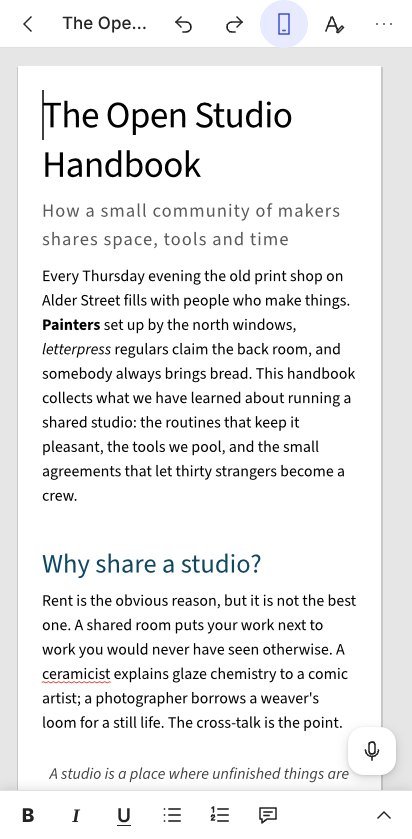
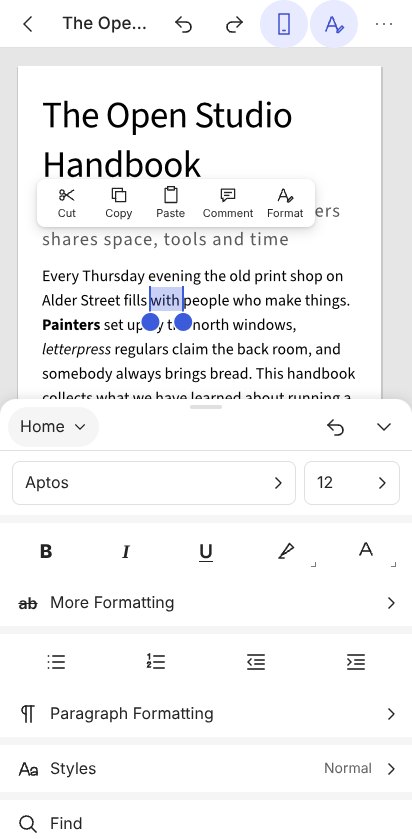
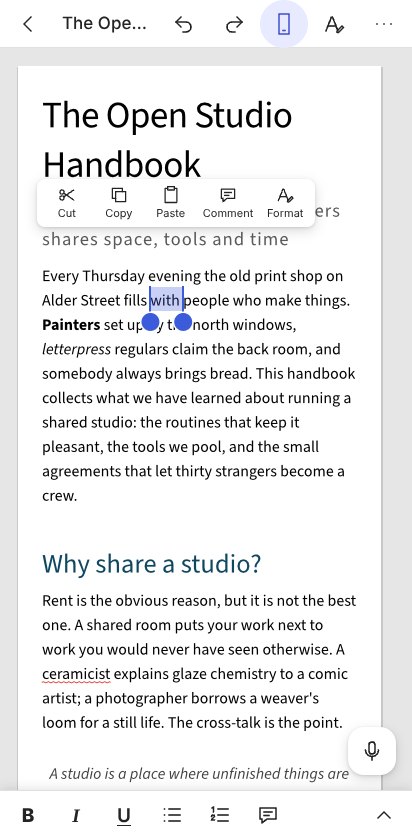
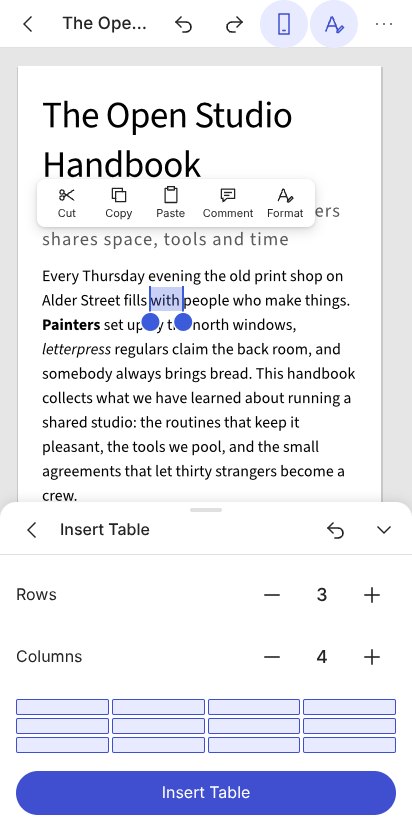
On a phone the editor takes the shape of Word for Android: drag to scroll, long-press to select, and one command palette at the bottom. Foldables switch live.
On a phone the editor takes the shape of Word for Android: a slim title bar, the page, and one command palette at the bottom. WordCraft's own title bar, ribbon, status bar and mini toolbar step aside; every button in the palette runs one of WordCraft's commands, so editing works exactly as on the desktop.
<WordcraftEditor mobile="auto" mobileOptions={{ onBack: () => router.back() }} height="100dvh" />
- The page. A finger drags the page and flings it, a tap places the caret, a long press selects a word, two handles adjust the selection, and two fingers zoom. The page opens in Mobile View, which reflows the text to the screen; the title bar switches between Mobile View and Print Layout.
- The palette. A quick bar (Bold, Italic, Underline, Bullets, Numbering, New Comment) sits above the keyboard. The ^ opens the full palette with Home, Insert, Draw, Layout, Review and View, and Table, Picture and Shape appear when the selection calls for them. Fonts, colours, styles, margins, table sizes and the like open as pages inside the palette.
- Around the page. A floating toolbar over a selection (Cut, Copy, Paste, Comment, Format), Find and Replace in place of the title bar, a More menu (Save, Share the .docx, Download as PDF, Print, Word Count, the mode switch, Version History and AI when they're on), photos from the camera, and dictation where the browser offers speech recognition. The bars slide away as you read down and come back as you scroll up, and the palette rides above the soft keyboard.
- Foldables and tablets. The layout follows the container width live, so a phone turning or a foldable opening switches between the palette and the ribbon. Tablets of 600px and wider keep the ribbon and still get the touch gestures.
- Your rules apply.
tabs,hiddenTabsanddisabledCommandsthin the palette as they thin the ribbon.MOBILE_PALETTEexports the palette's contents.
mobile={false} keeps the desktop layout everywhere; touch gestures on the page stay on unless you call editor.setTouch(false). For your own phone chrome, editor.onSelection() reports where the selection sits on screen and which contextual tabs apply.