AI that builds structureExtra
AI answers as real tables, diagrams, charts, lists and more, with a slash menu.
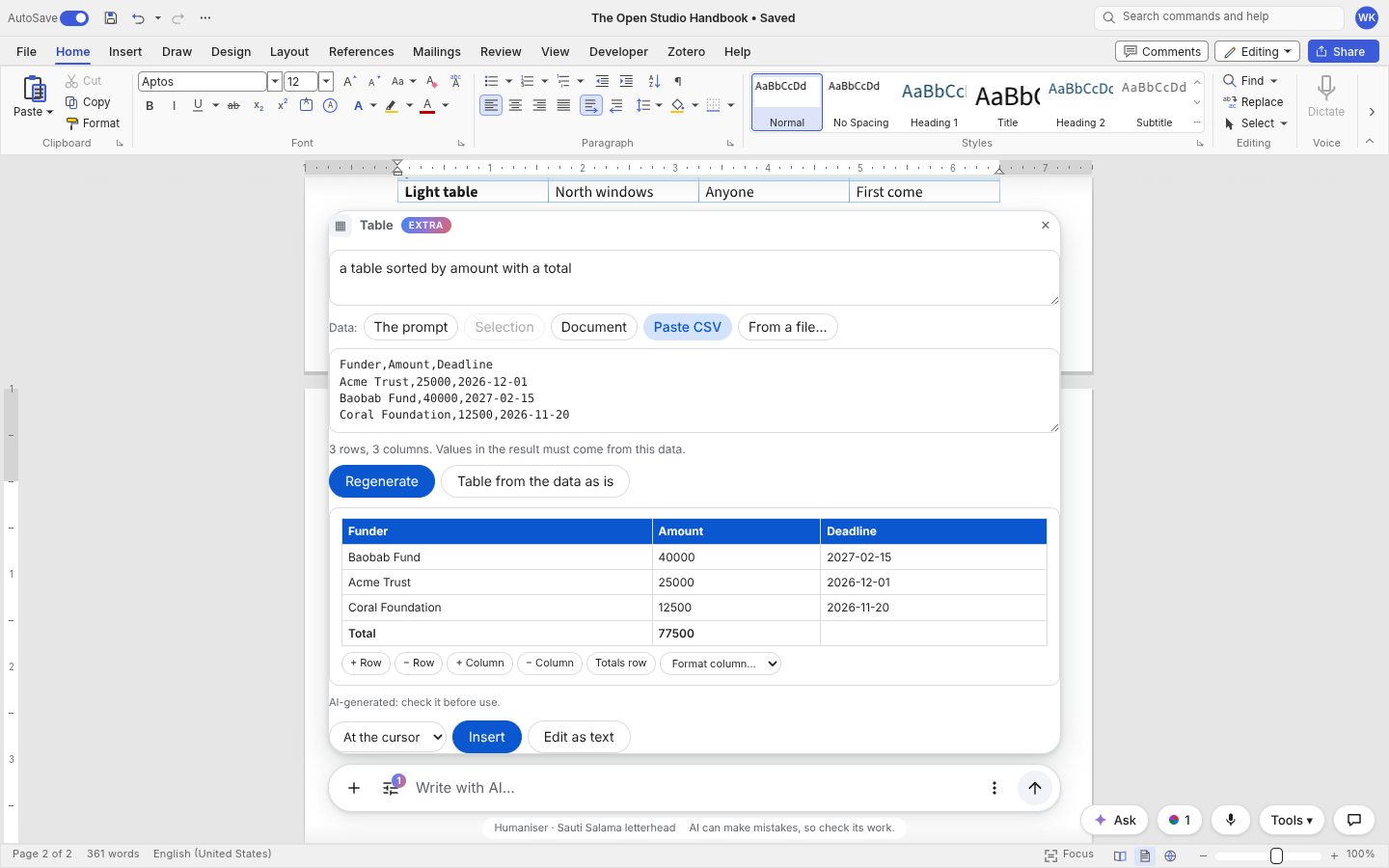
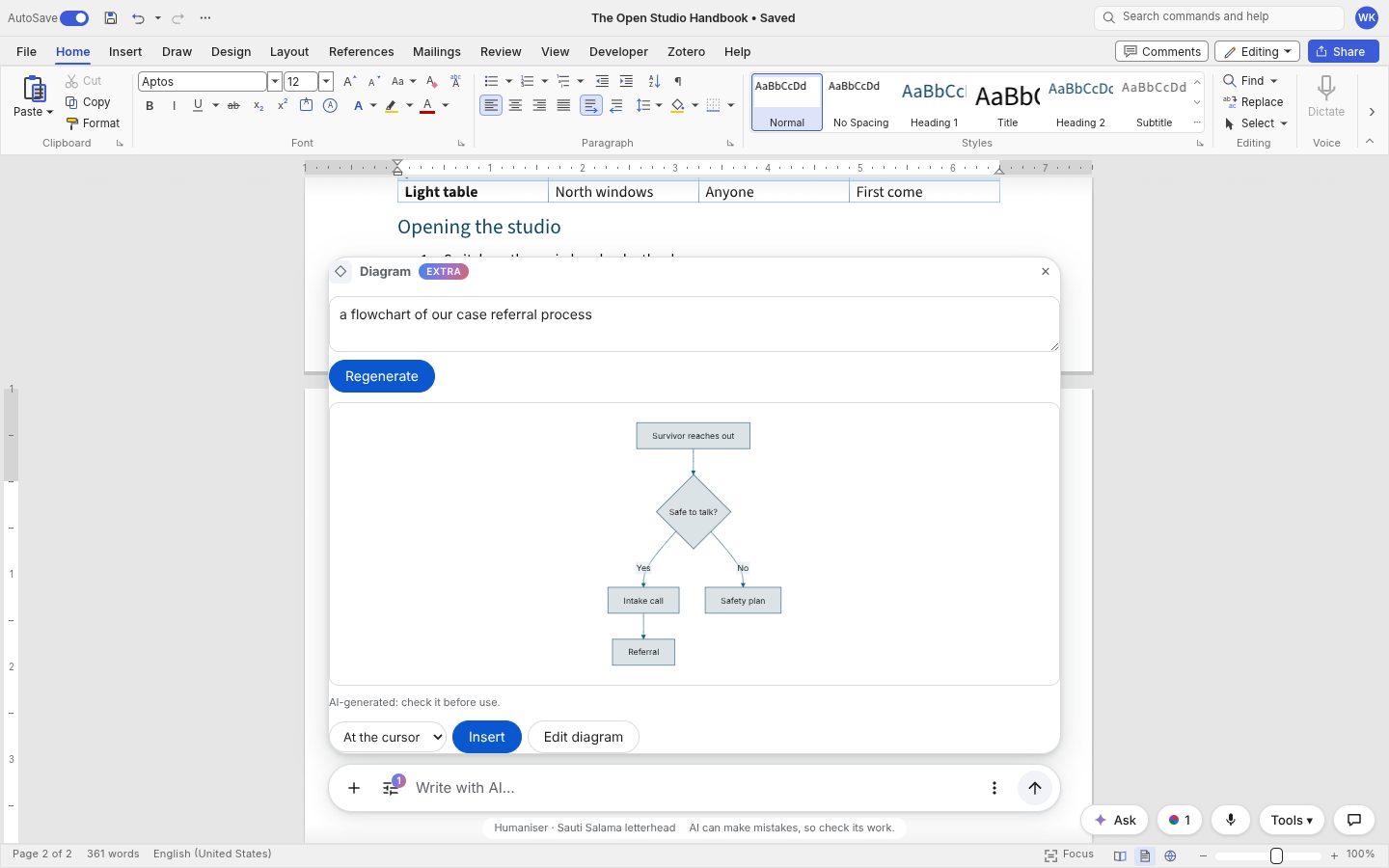
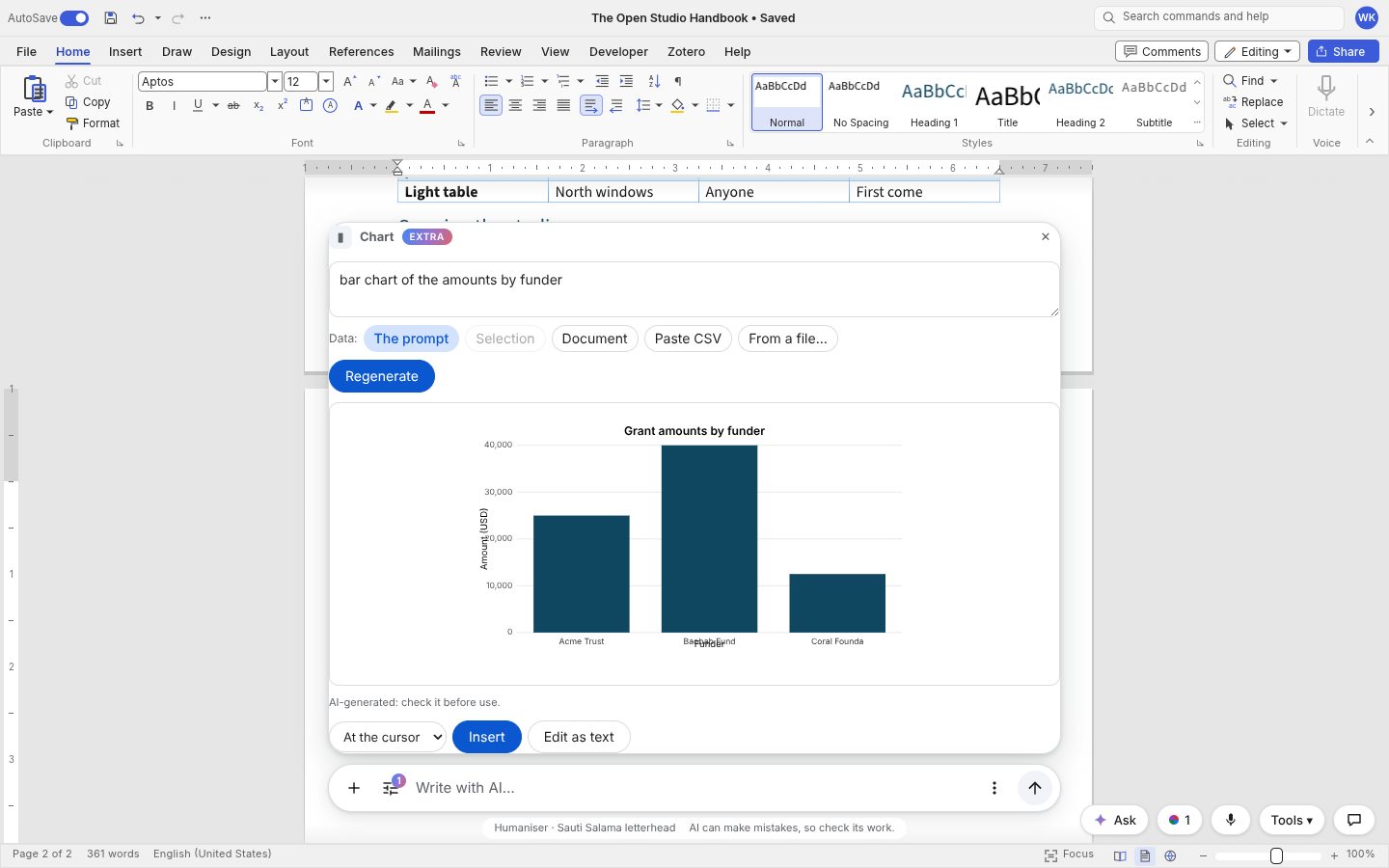
Ask for a table, a diagram or a chart and get the real thing: a native table, a Mermaid diagram with its source kept, a Word chart. Type / on an empty line for the menu.
With ai.structure: true, AI answers become document structure instead of plain text: headings, nested lists, bold and italic, links, quotes, code, rules and native Word tables (a header row shaded in the palette colour, column alignment). Nothing the model writes reaches the document as HTML: the answer is parsed (a JSON block list the model is asked for, with Markdown as the fallback), validated, capped and repaired, and the package writes the document itself.
- The Insert menu in the AI bar and the
/slash menu (type/at the start of an empty line) offer Table, Diagram, Chart, Timeline, Checklist, Callout, Equation, QR code, Image and Table of contents, plus Date, Divider, Page break and Signature line, and your own actions. - Each opens one panel: a prompt, a data source (the prompt, the selection, the document, a pasted CSV, or your app's
ai.pickData()), a preview, and where to put it (at the cursor, replacing the selection, or below it). In Suggesting mode it goes in as a tracked change. - Tables from data: with data given, every number in the result must come from it; anything else becomes
[to confirm], marked in the preview. Table from the data as is skips the AI. Beside the preview: add or remove rows and columns, sort by a column, number formats (currency, percent, date) and a totals row. - Diagrams (flowchart, sequence, org chart, timeline, Gantt, mind map, entity relationship, state) are Mermaid, rendered in the browser with
securityLevel: 'strict'and themed with the palette, and go in as a picture with alt text. The Mermaid source rides in the picture's title, so after a save and reopen, selecting the diagram shows Edit diagram: the code with a live preview, and an AI change ("add a step after approval"). A diagram that fails to render shows its code with Ask AI to fix the diagram. Passai.mermaid = () => import('mermaid'); Mermaid loads only when first used. - Charts (column, bar, line, area, pie, doughnut, scatter, stacked) go in as native Word charts with their data, title, legend and alt text, editable in Word.
- Equations go in as Word equations from LaTeX. QR codes come from the package's own encoder (no library, no network). Images come from your
ai.generateImage(prompt)orai.imageSearch(query), re-encoded as PNG, never inserted without a preview. - Your own actions:
ai.actions = [{ id, label, icon, run(ctx) → Block[] }], e.g. "Insert our standard donor paragraph". - Every result card says "AI-generated: check it before use" (in the card, not the document). Viewers and commenters see none of this.
<WordcraftEditor
  ai={{
    complete,
    structure: true,
    mermaid: () => import('mermaid'),
    pickData: async () => ({ label: 'Grants.xlsx', columns: ['Funder', 'Amount'], rows: [['Acme Trust', 25000]] }),
    actions: [{ id: 'donor', label: 'Donor paragraph', run: () => [{ type: 'paragraph', text: 'Thank you…' }] }],
  }}
/>
The block schema is in BLOCKS_PROMPT; parseBlocks, markdownToBlocks, sanitizeBlocks and insertBlocks(editor, blocks, { palette }) are exported for your own flows.